Friday, November 28, 2025

The Harsh Reality of Hardware Margins

 The Harsh Reality of Hardware Margins - Lessons Learned

Episode 53


As odd as it sounds, hardware markup and margins are a never-ending discussion for IT consultants. Like many, I started out with no idea how to source hardware and software. At least with software, I could find a way to buy it and get it to the client.

I think the two big questions on hardware are 1) Where do you get it, and 2) How do you make money with it?


Where Do You Get Hardware?

Like many others, I started out by going to the places I shopped and asking if they had a wholesale program so that I could buy from them, mark it up, and still provide a decent price to the client. But that quickly became a very limiting strategy. *I* shopped at normal stores. They don’t sell high-end printers, real servers, or bulk deliveries of hard drives.

I found out about distributors two ways. First, I asked other consultants. Most were very open and I soon discovered that there weren’t many distributor to choose from. So I just had to set up an account and figure out how to get the products I needed.

Second, I looked at the machines I came across. Back in the old days, a lot of people built their own machines (myself included. See the “Side Note” below). Inside those machines, a lot of parts had stickers on them from regional distributors. This made it easy for a distributor to identify that a questionable piece of equipment came from them. It also let me know who those distributors were.

Bottom line, finding hardware wasn’t hard. The hard part was making money on it!


How Do You Make Money on Hardware Sales?

One of the most common statements you’ll hear in the channel is some variation of, “You can’t make money on hardware” or “There’s no margin in hardware.”

That’s simply not true. If you price things so you don’t make a profit, that’s on you.

When I first started with a distributor, it became obvious that I wasn’t going to sell enough to get a good price. My wholesale cost for a printer was more than what the client would pay at Staples or Best Buy. So I asked around.

The majority of consultants I talked to worked hard to make 1% - 3% on hardware. That didn’t seem worth doing to me. A handful claimed to simply double their cost so 50% of the sales price was profit. I never discovered if that was true, but I suspect you wouldn’t sell much at that price. So what’s reasonable?

After much trial and error, I came up with a hardware approach that I still use and recommend. It has three basic elements.

1. Mark up your actual cost for hardware by 25%. This means 20% of the sales price is profit. For example, if your cost is $100, you charge $125. Thus $25 or 20% of the sale price is profit.

In response to your question, yes, this means I often sold hardware for more than the MSRP and more than the client could find elsewhere. There’s nothing wrong with this. In fact, it’s pretty common. If you buy wiper blades or brake pads from the dealership, you’ll pay more than at Autozone or O’Reilly. And the dealership sells lots of parts for one simple reason:

2. We sell the right thing and stand behind it. Clients never have to worry that I’m selling them  the wrong firewall, the wrong workgroup printer, or the wrong desktop PC. You know what happens when clients go out and buy their own stuff. You get a mish-mash of assorted junk, often not business class, and frequently loaded with all kinds of sampleware you have to remove. It’s not the right equipment and it takes more time to install and maintain.

We are also committed to only quoting and selling business class equipment with a three-year warranty (or better). We never sold a single machine with a Celeron processor or an eMachine. Clients could rely on us to only sell the right solution, and that includes the hardware.

Finally,

3. If clients don’t want to buy from us, we don’t worry about it. We highly recommend that they allow us to share a screen and make sure they buy the right equipment out on the open market. No Windows Home edition. No machines with zero level two cache. No routers intended for a home network with very little traffic.

We also have a note in our service agreement that all work has to be done by us. So if the client buys something, messes up the install, and asks us to fix it, they pay full price. We also charge for adds, moves, and changes, even if the client’s on managed service. So the cost of installing junk always costs them money.


We all have horror stories about hardware. From not making money to fixing clients’ Frankenstein configurations. These are never low-margin events. And clients either stop asking us to maintain their thrift store collection of junk or they learn that they pay less in the long run and get better equipment if they buy what we ask them to buy, and they buy from us.


Side note: Life is much better today that it was fifteen or twenty years ago. Back then, most businesses you went into had collections of home-built machines. When you opened the case (and we used to open cases a LOT), you never knew what you’d find. Brand names you’ve never heard of or no brand name at all, so service and support were impossible.

Yes, I learned brand names of all kings of equipment, but it was obvious that maintaining brand name business class equipment was easier, more profitable for me, and less expensive for the client in the long run.

Ultimately, I wanted us to be consultants, not box-pushers.


Feedback always welcome.

-- -- --


Episode 53

This Episode is part of the ongoing Lessons Learned series. For all the information, and an index of Lessons Learned episodes, go to the Lessons Learned Page

Leave comments and questions below. And join me next week, right here.

Subscribe to the blog so you don't miss a thing.

 :-)


Tuesday, November 25, 2025

ChannelPro's 2025 Partners in Excellence - A Roundup


I was honored to receive one of ChannelPro's Partner in Excellence awards for 2025. And I'm happy to be in such good company!

ChannelPro put together a great round-up article about the eight honorees for 2025, with information on why they were honored. You can find that here: https://www.channelpronetwork.com/2025/11/25/msp-leadership-awards-2025-partner-in-excellence-honorees/

And if you want to connect on LinkedIn, you can request those connections here:

Annette Taber
Founder and CEO, BoardSWAP
https://www.linkedin.com/in/annettetaber/

Wayne Hunter
CEO, AvTek Solutions
https://www.linkedin.com/in/waynehunteravtek/

MJ Shoer
Chief community officer, GTIA (Global Technology Industry Association)
https://www.linkedin.com/in/mshoer/

Marissa Maldonado
Founder and CEO, Proda Technology
https://www.linkedin.com/in/marissamaldonadoproda/

Lori Tisinai
Founder, Computer Concepts USA/founder, IT Owner’s Compass
https://www.linkedin.com/in/loritisinai/

Dave Cava
Founder, PeopleSharp/co-author, The Pumpkin Plan for MSPs
https://www.linkedin.com/in/dave-cava-peoplesharp/

Dawn Sizer
CEO, 3rd Element Consulting
https://www.linkedin.com/in/dawn-sizer/

Karl W. Palachuk
Founder, Small Biz Thoughts. Founder, National Society of IT Service Providers (NSITSP)
https://www.linkedin.com/in/karlpalachuk/

:-)


Monday, November 24, 2025

We Love Helping People - How Can I Help You?

We Love Helping People. Really.

One of the primary motivations for founding the Small BizThoughts Technology Community is to help people – really help them, not just sell them something.


I got two notes today that really highlight this. One was from an MSP who is a long-time member with just over 100 staff members. He’s grown to the point that the people he hired to watch his company finances are asking him some “next level” questions about pricing and overall cost to deliver services promised.

We are setting up a time to meet. In the meantime, I’m reviewing his offerings and the tool sets that make up a good part of his COGS (cost of goods sold).

Charge for this? Nothing. This is a member and members can grab an hour with me for this kind of help just by asking.

The other note was from someone who just dropped a line to say:

Your model has worked beautifully. We now offer an SDX, NoC and SoC 24/7, could grow by 50% next month, and still only have 3 full-time employees in our support business.

Thanks for all your help!

-- Dan M.


When I asked our newest members why they joined, the answers were pretty common. The most recent member just bought an MSP and wants a deep dive into the business model and how services are delivered. She’s happy to dig into the free 5-week courses and explore all the 500+ SOPs inside the community.

The next newest member has been buying a book here and a class there and finally decided to just join because “It’s about time.” He also has some specific challenges and we’re helping him find the resources he needs to address those immediate issues as well as his long-term plan.

 One of my measures of success is that I get more than one of these kinds of messages every week. It’s a wonderful indicator that we’re fulfilling our mission (see screen cap below from https://www.smallbizthoughts.org/about/.


With the largest collection of resources of any Community, plus a deep commitment to help you be as successful as possible, I’ll bet YOU could benefit form the Small Biz Thoughts Technology Community. Why not check it out today and begin working right now to make 2026 as successful as possible?

Details at https://www.smallbizthoughts.org/ (scroll down to compare memberships).


I hope to see you in the Community!


 :-)


Friday, November 21, 2025

All Hail the Service Manager

All Hail the Service Manager - Lessons Learned, Episode 52

Perhaps the most important person you’ll ever hire in your business is the service manager. And please note that “most important” can mean for the good or for the bad. A good service manager will make the owner’s life and business dramatically better. A bad service manager can destroy the business and make the owner’s life hell.

I don’t think any of that’s a secret. One of the most popular blog posts I’ve ever had is “SOP Friday: Service Manager Roles and Responsibilities.” 

And one of the most popular videos I’ve ever posted (50,000+ views) has the same title. Same title for the video - Service Manager Roles and Responsibilities. Clearly, that search term hits home.

But those are primarily just lists of duties. I learned the real important elements of service management after years of stubbing my toes and making mistakes. I saw horrible managers and a few good ones. The best I ever met was my brother Manuel.

When I founded my consulting company, I brought about fifteen years  of experience managing teams of 20-30 people in various jobs, culminating in management of service delivery across three states and grooming a few bright stars to become managers in their own right. I think my best performance as a service manager was as a contractor at HP. I managed a team of about twenty-five who supported software across 5,000 users and about 7,000 machines.

So when my business grew to the point that I needed someone to step up and take a layer of management off my shoulders, I was lucky to have Manuel working for me. He’s a natural leader and, to be honest, a natural team leader. So he stood out as someone who naturally took on more and more responsibility without being asked.

I have to say: This was not always my impression. It grew on me. The first few years he worked for me he was … shall we say … rough around the edges. But over time, as he elevated himself from technician to the most reliable and dependable technician I had. So as I put a good deal of attention on another company I own, Manuel was officially elevated to the role of service manager (and later would become president of the company). And I promise you, this was not nepotism. 

What makes a great service manager? Well, it’s a combination of many individual roles all bundled into one person. These include

  • Leader who inspires
  • Disciplinarian
  • Parent figure
  • Teacher
  • Trainer
  • Mentor
  • Coach
  • Customer relationship manager
  • Department penny pincher
  • Guide
  • Counselor 
  • Brand ambassador and protector
  • Evangelist
  • Public relations director
  • Friend
  • Organizer/Coordinator
  • Communications director
  • Coordinator of all internal (inter-departmental) communication
  • Thought leader
  • Executive advisor

... And more

More than anything, the service manager has to balance all these roles and make sure that each of them gets the attention it deserves. This is the greatest juggling act you’ll ever see. And if you have a great service manager, you’ll see it every day.

Note: What you don’t see on this list is Best Technician in the Company. The service manager might be that, but they absolutely do not have to be.

And yet, what do we find? Overwhelmingly, in IT and pretty much every other industry, it’s the best “guru” who gets elevated to the role of service manager. This is due in part to the fact that we put so much emphasis on technical prowess. But being the greatest technical advisor is not necessarily the best person to train new recruits, enforce guidelines around standard operating procedures, or give personal advice to an employee who is struggling with problems outside work.

Over time, the service manager will be completely trusted by the owner to make decisions without consultation and approval from above. They will also be trusted by employees and clients as the authoritative voice of the business. 

Don’t dismiss the importance of this branding and authority piece. As I've mentioned several times over the years, the best managers I had in my IT company were Manuel and Michael. Manuel moved to another coast to help a friend straighten out his business. Michael eventually bought my business. When they worked for me, they were spectacular advocates of my values, vision, and processes. In both cases, they made some big changes when they were in charge of other businesses and drove the vision.

My point is, a truly great manager will be your biggest cheerleader, even if they don’t completely buy your vision. I’ll never forget Manuel’s words when I announced a big change in the business at one point. He said, “I think this is the dumbest idea you’ve ever had, but I’m your brother and I will make it happen if you want me to.” And he did.

Obviously, this means that the service manager also has to be someone who will disagree and discuss things in detail. You can’t have someone who’s afraid of the boss or never willing to challenge decisions.

So with all that, here are the three greatest lessons I've learned about service managers:

1) They are a rare breed. Almost no one will have all the skills needed. That means you have to figure out how to find someone who can take on a very big challenge and grow into that role.

2) Do not elevate someone to service manager based on technical prowess or seniority. Your greatest technician may not have the “soft skills” or commitment to learn all the duties that are required. Because this is a rare breed, there’s an excellent chance that your first or next service manager is not on your team today. Be prepared to find someone who can grow into the role and then help them to do so.

3) Delegate real authority. Even a potentially great manager will be stymied by a boss who gives them a title but no authority. Internally and externally, the service manager has to be the unquestionable decision maker when the owner is not around (and often when he is). And, eventually, the service manager may grow to know more about the operations of the business than the owner. That takes faith and commitment.

Will they make mistakes? Yes. Will you make mistakes? Yes. But fear of mistakes should never be a deterrent. You make mistakes all the time without a service manager.

Feedback welcome.

-- -- -- 

Episode 52

This Episode is part of the ongoing Lessons Learned series. For all the information, and an index of Lessons Learned episodes, go to the Lessons Learned Page

Leave comments and questions below. And join me next time, right here.

Subscribe to the blog so you don't miss a thing.

:-)


Friday, November 07, 2025

Trying and Loving Outsource Technical Assistance

Outsource Technical Assistance

- Lessons Learned, Episode 51


As our business grew and we evolved from a first-generation remote managing system to a newer hosted service, we found ourselves gradually doing something we had not anticipated: Outsourcing a good deal of our tech support! Here’s how it happened and what we learned.


Our first RMM was the now-old school first generation of Kaseya. It required a dedicated onsite server with SQL licenses. It was expensive to buy and expensive to run. Eventually, that server got old. And since the industry had evolved, we decided to look for a hosted alternative. Even if the RMM was going to cost about the same, we’d save the $10K investment in a server. ($10K at the time, not today’s dollars.)

After doing some research and trying several things, we settled on Zenith Infotech (now Continuum). But Kaseya was stable and we were pleased with it’s performance if not the total cost of ownership/investment. So we decided to deploy Zenith agents on all of our servers along with the Kaseya agents. Our goal was to verify that Zenith caught everything Kaseya did.

In last week’s blog post, I talked about peer groups. I walked through my strategy of trying both products side by side before deploying to all the desktops and discovered that several people I respected and trusted were doing the exact same thing. That helped me feel better, and several of us started checking in with one another on a regular basis to verify that our experiences were similar.

And then something happened. I was talking to my Zenith rep and mentioned that we see very few “blue screens” on our servers, so our techs didn’t have much experience dealing with them. That meant that either Manny or I had to address every blue screen. My rep said, “Assign those to us. I promised we’ll find the problem fast. And, if you want, we can fix it fast too.” This was intriguing because Zenith had a lot of engineers who deal with blue screens all the time. They would obviously be faster and analyzing them.

We agreed to try this. We set up a separate “Back office” board in Connectwise where we sent tickets for Zenith. We tried a few things, like sending them blue screens, and they did a good job. Fast and efficient on both the analysis and the fix (unless the fix required hardware, then we threw the ticket back to our primary board).

Gradually, we tried other things. Updating drivers. Verifying updates or scheduled tasks. I think we paid $39 per month preserver, which covered pretty much anything that falls into the category of maintenance. So we added more and more. We do a very thorough monthly maintenance for all clients. (See https://blog.smallbizthoughts.com/2025/01/regular-monthly-maintenance-lessons.html.) We started assigning many of these tasks to Zenith.

We assigned more and more maintenance tasks to Zenith (we called the service “back office”). Eventually, they were able to follow our process and complete everything on the monthly maintenance except change the tape or disc drive for the backup testing. We got a lot of labor for our $39!

We pushed Zenith to the limit. We assigned them service pack installations, which required a few reboots in the early 2000’s. They took a while to complete and needed to be monitored. They also required patience as some servers (such as SBS) might take 45 minutes to reboot with upgrades like this.

The worst thing we assigned to them was a major service pack update an SBS 2003 server, which included major updates to the server itself, SQL, and Exchange. Many, many reboots were required. And here’s the “worst” part: This client was way outside of town on a sod farm and the only Internet they could get at the time was a bonded DSL line rated at about 192Kbps. It was a bit like building a ship in a bottle from halfway around the globe.

We replace all desktop and server RMM agents with just Zenith.

Eventually, we turned over as much as we could to Zenith. We did not let them work directly with clients, but we gave them all the jobs that could be done without talking directly to clients. Above, I talked about how much we use relied on administrative assistants to help us with support (see https://blog.smallbizthoughts.com/2025/10/front-office-staff-and-admins-rule.html). Now we adopted two rules to guide us:

1. If it can be done by an admin instead of a tech, assign it to the admin. Else …

2. If it can be done by Zenith, assign it to Zenith.


Great Results, But Enough is Enough – Lessons Learned

Lesson One: Your outsourced tech support is part of your team. Treat them that way. We had to work with Zenith and various technicians for some time to make sure that their processes and documentation were consistent with our requirements. For our part, we committed to providing very detailed requests, with checklists if possible. We treated them with respect and made sure that their technicians liked working with us.

Lesson Two: There are limitations. Unexpectedly, we pushed Zenith so hard that we helped them learn the limits of their service. Eventually, we all agreed on some lines to define what is maintenance and what is not. Their original plan covered “everything.” Well, you know how I feel about all you can eat. It turns out we ate all the profit on our account and more. Then we helped them set reasonable, maintenance-focused limitations.

Lesson Three: Outsourced tech support should be embraced. We treated the Zenith team like an employee. We set standards and expectations, helped them to be successful, and evaluated their performance. More importantly, this “one” employee could do a great deal more work than any other employee.

This was a higher level of leverage than we expected, and it allowed us to take on more clients without hiring as many tech. And our in-house techs were freed from mundane chores so they could focus on interesting work.

That’s just our experience. Your mileage may vary. But don’t write off outsourced help until you’ve tried it.

-- -- --


Notes on monthly maintenance:

Here’s my sample Monthly Maintenance Checklist: (less than $5)

https://store.smallbizthoughts.com/product/sop-monthly-maintenance-checklist/


… Which is based in part on my FREE 68-point checklists. You should probably look at both version 3 and version 4. Three is very much the core “68-point checklist.” Version Four is much expanded and detailed, and is a thorough checklist, not just the basics.

https://store.smallbizthoughts.com/product/karls-famous-68-point-checklist-version-4/

https://store.smallbizthoughts.com/product/karls-famous-68-point-checklist-version-3-0/


-- -- --


Episode 51

 This Episode is part of the ongoing Lessons Learned series. For all the information, and an index of Lessons Learned episodes, go to the Lessons Learned Page. https://blog.smallbizthoughts.com/p/lessons-learned-blog-series.html

 Leave comments and questions below. And join me next week, right here.

 Subscribe to the blog so you don't miss a thing.

 :-)


Tuesday, November 04, 2025

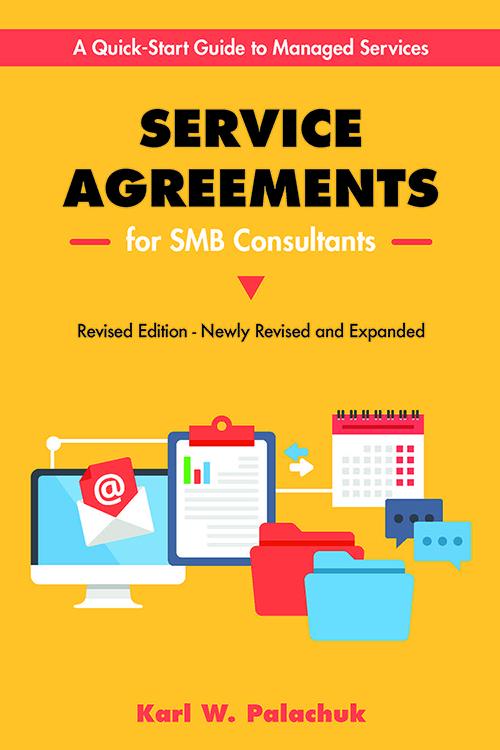
5-Week Class: Service Agreements for SMB Consultants - Starts Nov. 18th


All About Service Agreements for I.T. Consultants


Service Agreements for SMB Consultants - Applying the Book


  • Five Tuesdays: November 18 - December 16


  • All classes start a 9:00 AM Pacific


  • Taught by Karl W. Palachuk, author, Managed Services in a Month
Based on the best-selling book Service Agreements for SMB Consultants, this course covers everything you need to know about developing your service agreements. And the book subtitle is important, too: A Quick Start Guide to Managed Services.

Most IT Professionals sign - or don't sign - contracts for the wrong reasons. Most think contracts are intended to draw battle lines for when you have a disagreement with your clients. In fact, that piece of the relationship is almost always outside the contract! We'll explore why you really need contracts or service agreements.

We'll also look at various options, including a 2-page "terms of service" as well as managed services, programming agreements, and more.

Tuition for this course includes the ebook version of the newly revised and expanded Service Agreements for SMB Consultants! That includes all the downloads from the book as well.

You will learn

  • Defining Yourself and Your Relationships
  • Define Yourself
  • Define Client Relationships
  • The Language of Service Agreements
  • The Service Agreement Construction Kit
  • A Sample Credit Agreement
  • Boilerplate: A Sample Service Agreement
  • Flat Fee or Managed Services Parts
  • The Managed Service Agreement
  • Getting Help and Managing Agreements
  • Getting Help - Lawyers, Accountants, etc.
  • Managing Your Service Agreements
  • PLUS lots more. This class is filled with great advice and tips on running your I.T. company and moving into the world of recurring revenue with managed services.

Delivered by Karl W. Palachuk, blogger and author of the very popular "SOP Friday" posts at http://blog.smallbizthoughts.com.

Includes five weeks of webinars with related handouts, assignments, and "office hours" with the instructor. All classes are recorded for download.

This course is intended for business owners and managers. It is particularly useful for the Service Manager or Operations Manager.


Small Biz Thoughts Technology Community Members Save Big !!!

More Information at www.SmallBizThoughts.org

:-)