Friday, May 17, 2013

SOP Friday: Removing a Client from Managed Services

Whether you like it or not, sometimes you need to remove clients. Of course there are many reasons for this: You fire them, they quit you, they go out of business, they are merged with another company, etc. If they are managed service clients, you've got some cleaning up to do.

This is a time to be particularly careful about money. One of the best policies you can put in place is that ALL work - 100% of everything - must be paid in advance once a client gives notice. After all, once the relationship is over, there's not as much motivation to pay in a timely manner. Collect a small block of prepaid labor and plan to rebate the unused portion when all the work is complete.

Awhile back we talked about new clients and I posted a Checklist for Setting Up a New Client on Managed Service. Today we're going to reverse that process with a different checklist. Of course there are a few more steps to add.


A Few Notes

First, you should give the client a "What's Next" Memo so they understand your policies from their cancellation notice to the end of the contract. This memo should include the following:

- Note that all labor to remove the client from managed services is billable (as an add/move/change it would not be covered under managed service).

- Note that the machines may be left in an unsafe state. Unless there's a billable ticket to turn on updates of some type, the machines will not receive critical updates after you remove your RMM (remote monitoring and management) agent. If anti-virus is included in your service, the machines will be without anti-virus unless there's a billable ticket to install something.

- Note reminding the client that your contract forbids them from hiring your employees without compensating you.

- Note that your company has and will abide by a non-disclosure agreement with the client company.

- Note that you will assist the client's new tech support (internal or external) with the transition, and that all labor related to that will be billable.

- Note that you will be giving the client all documentation and a summary of all outstanding issues with their machines.

Second, if the client purchases other services from you, or receives services "bundled" with the monthly maintenance service, you need to determine whether any of these services will continue. For example, if you bundle spam filtering and anti-virus in your monthly offering, is the client going to continue buying these services from you?

Clarify with the client that other contracts will remain in place (e.g., BDR, HAAS, or telephone).

Basically, you want to be as friendly and accommodating as possible. And you want to make sure you keep the client as informed as possible. Leaving with class may serve you well down the road. Who knows, you might get this client back one day.


Here's a sample Checklist for Removing a Client From Managed Services. This checklist routes from the administrative department to the tech department and then back to admin.


Remove Client from Managed Services – Checklist


Client: __________
Date: __________
Date service will stop: __________

Who at client office is our primary contact during transition? __________
Contact Phone __________
Contact Email __________

If there's another consultant we need to work with, note here: __________
Contact Phone __________
Contact Email __________


Routing Step One - Admin Dept.

- Review client's account
 - - If there are any accounts receivable, make arrangements for payment.

- Contact client to inform them that all work to remove them from service is billable and all labor must be paid in advance.

- Collect prepayment of $__________ for __________ hours labor.

- Cancel automated recurring billing at merchant service.

- Set expiration date for Managed Service Monthly Recurring billing contracts in PSA.
 - - Leave Billable Time and Materials contract in place and active.
 - - Leave other monthly contracts in place (BDR, telephones, etc.).
 - - If client will continue with "un-bundled" services, create recurring billing for these.

- If necessary, change client "terms" in QuickBooks.

- Will client still receive our newsletter? (Yes)(No)
 - - If no, remove them from the newsletter mailing list.


Routing Step Two - Tech Dept.

- Create a billable service request to remove client from managed service.
 - Note: All work related to removing agents, services, etc. from managed services is billable and should be logged against this ticket.

- If removing email filtering:
 - - Create a billable ticket to remove from spam filter service.
 - - Determine where email should be pointed.
 - - Update MX records and other DNS as needed
 - - Test that email is flowing before you close this ticket.

- Create a client summary report of all existing issues and tickets.
 - - Service manager will email this to client.

- Verify that all documentation is up to date.
 - - Deliver a copy of client documentation to client in paper or electronic format.
 - - Be sure that client has a narrative description of their backup system.

- Determine whether any open tickets need to be worked before service is discontinued. Service manager will determine whether each of these is covered by the contract that is ending or is billable.

- Close all open tickets for this client that will not be worked. Add a note to each that the ticket was closed without completing service due to end of contract.

When all tickets are closed . . .

- Remove Continuum (or other) RMM agents.
 - - Note: unless there is a ticket to set up automatic updates or another service, we are ONLY removing our agents.

- Update the daily monitoring documentation so we don't report all those machines as missing.

- Update Managed Services Grid


Routing Step Three - Admin Dept.

- If the client will be 100% gone, set the expiration date for the Time and Materials contract in the PSA.

When all invoices are paid and everything is settled . . .

- File all paperwork related to this client.

- Remove paper contract(s) for this client from the "current contracts" folder and place in client folder.

- Add this completed checklist to client folder

### end of checklist ###


Comments welcome!


- - - - -


About this Series

SOP Friday - or Standard Operating System Friday - is a series dedicated to helping small computer consulting firms develop the right processes and procedures to create a successful and profitable consulting business.

Find out more about the series, and view the complete "table of contents" for SOP Friday at SmallBizThoughts.com.

- - - - -

Next week's topic: Managing Temporary Files

:-)

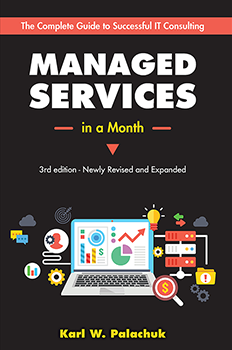
Check Out the #1 ranked Managed Services book at Amazon:

Managed Services in A Month
by Karl W. Palachuk

2nd Edition - Newly Revised and Updated with NINE new chapters


Only $24.95. The best deal in managed services today!

Order Today!

Thursday, May 16, 2013

Intel Drops Hybrid Cloud - I Don't Think This is Related to the Death of SBS


Here's a reprint of the SMB Nation blog post about the EOL for the Intel Hybrid Cloud.

Thanks for the Interview, Regina.

- - - - -


Intel Gives the Axe to Hybrid Cloud, AppUp Small Business Software Service

Posted by Regina Ciardiello on Wednesday, 15 May 2013 at http://www.smbnation.com/content/news/entry/intel-gives-the-axe-to-hybrid-cloud-appup-small-business-software-service


Many of us remember when Intel launched its Intel Hybrid Cloud device and the Intel AppUp Small Business Software Service with much fanfare just about two years ago, with tons of promise. It was ahead of its time pioneering the “devices and services” paradigm so popular today. It was the “third-way” in the polarizing argument(s) asserted by on-premises extremists and Cloudies. Many MSPs that I know had signed up for the service, and had high hopes for what it could do for both themselves and their SMB end users. Intel even went ahead and put together a launch platform held at SMB Nation’s Fall Conference in 2011 to target its sweet spot of SMB MSPs who largely attend our events…from what I understand, they came in droves to check out this new game-changing cloud product.

(Pictured at right): Karl Palachuk, Founder and CEO, Small Biz Thoughts / Great Little Book Publishing Co., Inc., said he doesn't feel there is a correlation between the end of SBS and the end of the Intel server.

I wanted to still learn more about the fanfare launch around this product, and why perhaps Intel decided to end of life it? I received my answers from one such MSP who is a friend of the SMB Nation family: Karl Palachuk, Founder and CEO, Small Biz Thoughts / Great Little Book Publishing Co., Inc.

Palachuk, who is a regular speaker at our events, and is often tapped to share his expertise on various channel trends and technologies, had first-hand knowledge of the Intel Hybrid Cloud Server at launch. While Palachuk was not part of the company’s partner program on this product, he served a much larger role in both an educational and marketing capacity; the company approached him to help them spread the word about this new server and what it could do for the SMB community.

According to Palachuk, Intel tapped for his help because they had a magic number of how many partners they wanted to sign up, and they sought out his real-world expertise to help accomplish that goal.

As a company that typically was used to selling, for instance, motherboards, and then sending people along their way, they needed someone who had experience with the services side of the channel, Palachuk says. “When they first launched it, (Intel Hybrid Cloud Server), Intel approached me, and said that they had a goal of signing up a certain amount of partners, and they told me that they heard I knew how to help them,” he said. “As a result, they offered me to head up an 11-city road show, which kicked off at SMB Nation’s Fall Conference in 2011.”

Following the SMB Nation show Vegas in 2011, Palachuk made his way around the country, traveling with Intel executives to pitch and discuss Intel Hybrid Cloud Server. He said the road shows experienced good success, with some cities garnering attendees in the neighborhood of 300-400 in the room. As a result of the shows, Palachuk says he was able to sign up around 800 partners, which helped give Intel a boost at the time of the product’s infancy.

Fast-forward to about two years later, and Intel decides to end of life the server, much like Microsoft recently did with Small Business Server. I asked Palachuk, since he has experience with both products, if he felt there was a coincidence or a correlation between these two decisions; he says absolutely not. “I don’t feel there is a correlation between the end of SBS and the end of the Intel sever,” he surmised. “The Intel product was not SBS-specific; of course you could load SBS on to the Intel server, but it had many other options available besides the operations system. It could run phone systems, backup systems, and various other operations that were unrelated to SBS.”

Palachuk did say, however, that he speculates the reason as to why Intel killed off their Hybrid Cloud Server is that there was confusion as to who the target market was. “I do think this (Intel Hybrid Cloud Server) is an SMB product, and it’s my speculation that Intel had some difficulty as who exactly they could sell to, and as a result, maybe the VARs couldn’t figure out who to sell it to?”

Aside from market confusion, Palachuk said like anything, when it comes to big business and big markets, if the money is not coming in, then the product gets the axe. “At the end of the day, a Fortune 10 company like Intel has to make X number of dollars on a product, and if they don’t meet that goal, then they drop it,” he said.

So what does the future hold as it relates to cloud now that this server has made its way out the door? Palachuk said that if he were Intel, he would try again to fill the void left by Intel Hybrid Cloud Server with some other type of service. “If I were Intel, I would look at the kinds of services that they have the tools to fill,” he said. “There really is indeed a market for a small on-site server that fits certain needs. Intel needs to find a single software partner who can help them build something that integrates with the cloud, while not trying to be everything to everyone…I fully expect there to be another attempt, especially since the services market is so appealing right now.”

- - - - -

###

:-)

Tuesday, May 14, 2013

Microsoft Announces Windows 8.1 as a Free Upgrade


Today Microsoft VP and Windows CFO Tami Reller revealed that Windows 8.1 will be the official name for the OS formerly known as Blue. It will include some updates to the UI formerly known as Metro. While she did not discuss the fact that Win8.1 will include an option for a start button, there are plenty of reports that "the button" will be included.

I think most people were expecting Windows 8 Service Pack One after a year. Then the "Blue" project was created to help people see that Microsoft was going to make feature changes to the next version of Windows 8. So instead of a service pack, it will be a (minor) version update.

Windows 8.1 will be a free update and will be delivered through the Windows Store. 

[No, not the Store. The app store, which they call the Windows Store. If you go to the Windows store, they'll just tell you to go to the Windows Store. Then you'll say "Who's on First?"]


Windows 8.1
Reller said that a public preview of Windows 8.1 will be available starting on June 26th for Windows 8 and Windows RT. The timing is set to coordinate the release with the Build developer conference in San Francisco.

Of course Microsoft is not saying when the full 8.1 version will be released, but they are very fond of October and November releases.

"Honey, I got you a Start Button for Christmas."

Another widely expected feature is the ability to boot directly to the desktop. The 8.1 upgrade is also expected to have other UI updates that make Windows 8 easier to use on smaller tablets. So they'll need to get that code to the OEMs in time to put smaller devices on the store shelves for Christmas.


Microsoft's Frank Shaw Appears Irritated That Consumers Don't Love Windows 8


Last Friday, May 10th, Shaw wrote a short post on the Official Microsoft Blog that there's a real drawback to having so many bloggers out there publishing their opinions:

"In this world where everyone is a publisher, there is a trend to the extreme – where those who want to stand out opt for sensationalism and hyperbole over nuanced analysis. In this world where page views are currency, heat is often more valued than light. Stark black-and-white caricatures are sometimes more valued than shades-of-gray reality."
(http://blogs.technet.com/b/microsoft_blog/archive/2013/05/10/staying-centered.aspx)

He points to two examples:
Tech Hub - http://www.ft.com/cms/s/2/330c8b8e-b66b-11e2-93ba-00144feabdc0.html
and
The Economist - http://www.economist.com/news/business/21577371-windows-8-only-beginning-microsofts-problems-microsoft-blues

Shaw is irritated with the fact that Microsoft's reversal on some features is being compared to the "New Coke" failure in 1985 (http://www.nbcnews.com/id/7209828/ns/us_news/t/it-seemed-good-idea-time). I agree that analogy is a little extreme. As someone at Microsoft casually commented to me in a personal email, Windows 8 is essentially Windows 7 with a new user interface. So the product's not broken per se. They've just made it harder for power users to use.

As a whining blogger, I don't think I go to extremes very often. But when such a massive amount of public response to a product is focused like a laser beam on a few items, it would be foolish for Microsoft to ignore them.

I've been surprised and a little amazed that Microsoft's public stand on the "Start Button" and "Boot to Desktop" features has been 1) You don't know what you really want. 2) You don't even need an option. Get over it. 3) You really like the new interface. You just think you don't like it.

Now the message is: 1) Oh shit. You really DO want that! Okay. 2) We'll give you the option. 3) If you don't like the new interface, don't use it.

I'm sorry it will be a full year from the original release date, but Microsoft's sales will (probably) improve once these changes are in place.


For a PR-loaded version of the announcement, see the Microsoft Windows blog post: http://blogs.windows.com/windows/b/bloggingwindows/archive/2013/05/14/windows-keeps-getting-better.aspx

:-)

Friday, May 10, 2013

SOP Friday: Healthcare and Other Benefits

Most small businesses start out with no "benefits" such as health insurance, paid phones, or cars for employees. In fact, many stay that way forever. There are good reasons to add benefits, and there are good reasons to avoid it.

If you're considering offering benefits, you should prepare yourself for some serious education about what you should and shouldn't / can and can't do. At both the state and federal levels, certain benefits must be offered identically to everyone.

Disclaimer: I'm not an accountant, enrolled agent, insurance salesman, broker, Human Resources attorney, or telephone repairman. You need to do this planning in association with true professionals who can help you make the best deals while staying inside the law.

I'm going to break benefits into three separate discussions: Health Insurance, Retirement, and Other. But first a few notes about benefits in general.

First, if you have a growing business, you will have to offer some or all of these benefits at some point. So try to plan in advance - at least a year in advance. That gives you time to learn about various programs, their enrollment schedules, options, etc.

Second, whether you "want to" offer benefits or not, avoid offering them until you are certain that you can afford them. That means you are certain you can add this expense from now on forever. I recommend this because takig benefits away from employees will have a devastating effect on moral. Plus, any permanent increase in your expenses can put a serious drag on your company.

Consider health insurance. Group plans in the U.S. vary dramatically. We use an HMO/PPO plan. It varies from about $200/month for someone under 30 (most techs) to about $500/month for a 50-something year old. So a business with ten employees will add a few thousand dollars a month in expenses. Just make sure you have it.

Third, use the "pros" to educate yourself and your staff. Let three insurance sales people come in and walk you through their plans. With each one you'll learn some things you can ask the others about. Do the same with retirement plans. And when anyone makes a claim about tax benefits, ask the tax pro about that. It's not the insurance salesman's job to keep up on tax law.

Fourth, always consider how any benefit you offer will be good for your company. "Just because I want to" is a fine reason. Just be very clear that that's what you're doing. Don't pretend that you need it for competitive reasons if you don't. Some benefits are easy (cell phones) and some are more complicated (retirement). What advantage do you get because you offer this benefit?

Now for a few notes on the three topics I promised.


Health Benefits


Everybody say "Ugh."

Everything is changing on this front. But for now, here are some notes to consider if you're considering health insurance for your staff.

1) If the owners and managers all have spouses who can provide health insurance, you might not want to offer this at all. Health insurance can be expensive. When we first started offering it, about seven years ago, a 25 year old tech could be insured under a group plan in California for about $100/month. Today I pay $481 per month for my group plan insurance.

2) Everyone has to get the same options. For example, you can't have a cheapie plan for the employees and a Cadilac plan for the boss. You CAN have a cheapie plan for everyone and let everyone upgrade themselves. But that means the part you pay out of your own pocket is not a business expense and might not be deductible on your taxes.

3) Seriously consider whether you want to cover some or all of the insurance. In some cases, you can cover (for example) 50%. If employees opt out, you pay nothing.

4) Consider whether you want to cover spouses/partners and kids. Is it fair that one employee receives a benefit of $400 while another receives a benefit of $1,200 just because he has a family? That's up to you.

[See where I said you need to let the pros educate you on all this?]

5) Set a reasonable waiting period, such as 90 days. That way, you know that new hires will work out before they get this benefit.

As a general rule, if you the owner need health insurance, group health is a great option. If you are an LLC or S-Corp (not a sole proprietor) then expenses paid to the insurance program are a business operating expense. The part each employee pays out of pocket in premiums and co-pays is a personal medical expense. These days, it's unlikely that anyone will spend enough to deduct it on their taxes.

Go talk to a pro.


Retirement Options


In my opinion, if you CAN create a retirement plan through work, you SHOULD create a retirement plan through work. Some plans such as Roth IRAs are personal. You should do that. But through the business, you can offer 401Ks and other retirement options that allow you to gain a larger retirement package while some of it because a business operating expense.

As with healthcare, you have to make the same offer to everyone. So if you contribute 5% of an employee's pay to their 401k, then you have to pay 5% of all employees' pay. Having said that, you can craft eligibility a bit. And some plans have a "vesting" component so that employees don't get to keep your contributions unless they stay a specific amount of time.

Again, there are many, many options. And again, I am not a retirement planner, investment advisor, or accountant.

Go talk to a pro.


Other Misc. Benefits


I somehow thought we were ahead of the curve on paying for employee cell phones. But over the last ten years I've realized that lots of companies do this. We pay a flat fee (I think it's $50) per month to each employee for the company use of their phone. That's enough to turn the lowliest plan into one with unlimited nationwide calling. That way we don't own the phone and we're not responsible for any part of their actual bill.

We have also, from time to time, given company-owned laptops to key employees. As far as I can recall, we've never asked for one back, even when someone left the company.

Some companies have company cars that employees are allowed to take home and use during off hours. Of course some of these are "wrapped" with advertising. That sounds like a lot, but it's not really. As I mentioned last week regarding Travel Policies and awhile back regarding Employee Expenses, we reimburse for mileage. It is not uncommon at all for a technician to drive 100 miles a week for work. That's $56.50 per week. At 4.3 weeks per month, that's $242.95 per month. For many cars, that's a car payment.

There are also "intangible" and culture-oriented benefits. Many companies supply the soft drinks. We have a lot of lunch gatherings. We also have movie days and movie nights. For about five years we brewed our own beer as a group. Today, Mike and Dana make regular trips to Sam's Club and keep the kitchen stocked with coffee, soups, and snacks. You could literally live in our office.

One other category of benefits is employee training. This is something that's good for the employee and the company. And it's totally a company expense, so not taxable to the employee (see the next topic).


Note On Taxes


[See the disclaimer above. I don't actually know anything and I'm not responsible for your actions.]

Strictly speaking, some of these things are benefits that the Tax Man wants to tax. So some benefits that employees get should be reported to the IRS. As a non-tax person, the line between taxable and not taxable is not very clear.

Right now, frequent flyer miles that an employee earns while on a business trip are not taxable. But our travel policy specifically states that the employee is responsible for such taxes if there ever are any.

Talk to the Pros.


Comments welcome! I'd love to hear what other benefits folks are offering out there.


- - - - -


About this Series

SOP Friday - or Standard Operating System Friday - is a series dedicated to helping small computer consulting firms develop the right processes and procedures to create a successful and profitable consulting business.

Find out more about the series, and view the complete "table of contents" for SOP Friday at SmallBizThoughts.com.

- - - - -

Next week's topic: Make Every Hour Profitable

:-)
Now Available: 


Seminar on MP3 Download 

This is an audio program with the PowerPoint slides in pdf format. 

Includes one MP3 audio file, one PowerPoint slide deckand one client-facing advertising example. All delivered in one zip file. 

This seminar is intended for small computer consulting firms that want to learn how to develop profitable cloud service offerings for their smallest clients. 

Save 20% - Now Only $39.95 !

Wednesday, May 08, 2013

The Most Popular Blog Posts of April 2013


It's always interesting to see what brings people in. Here are the most read blog posts from last month:


#1 = Microsoft Announced the End of of SBS from June 5, 2012

This is the biggest post of the last year. That's appropriate since it was probably the biggest announcement of the year for the small business space.


#2 = SOP Friday: Service Manager Roles and Responsibilities from June 2012

Moving up from the #4 spot. This is another one from last summer. It continues to get more traffic all the time.


#3 = Most "Managed Service Providers" Do Not Provide Managed Services from April 2013

This one got a lot of people's attention. Most - a majority - of people who call themselves Managed Service Providers are not providing the managed piece of the service. Even firms who have sold themselves based on the management component are not doing it.


#4 = SOP Friday: DNS and DHCP Allocation - Server vs. Firewall from November 2012

Where do you put DNS and DHCP? This article was not on the list at all last month. Now it jumps up to #3.


#5= SOP Friday: The Monthly Maintenance Checklist from October 2012

This item was gone from the top-ten list for a long time but certainly deserves a spot. This is one of the core pieces of our business, affecting recurring revenue, server health, and profitability.


#6 = SOP Friday: How to Work 8AM to 5PM in I.T. Consulting from March 2013

One of my long-standing philosophies is that you need to relax and take some time off so you can be more productive when you work.


#7 = SOP Friday: Organizing Your Company Files and Folders from October 2012

Another new addition to the list for this month. Organizing your electronic files is critical. Duplicate files and time spent looking for data you know you have are big resource-wasters. This article has become a consistent favorite. I think we're all trying to practice consistent improvement, so looking at someone else's system is helpful.


#8 = SOP Friday: Using a White Board from April 2013

This article appeared in April and made the top ten. Whether you use a white board for tracking metrics, making announcements, or brain-storming, you should have at least one large board and keep it centrally located.


#9 = SOP Friday: Is This a Profitable Hour? from March 2013

Who is responsible for profitability within your company? Everyone.


#10 = Windows Azure Active Directory has Reached General Availability from April 2013

Active Directory integration has been an ever-present pain in the neck with cloud offerings. Azure has finally released their AD to the entire product base. If you haven't looked at Azure lately, this is a great time.


As always, the SOP (standard operating procedure) Friday series dominates the list. Sometimes it's hard for "old favorites" to be eclipsed, like the "Death of SBS" posting. But we have a number of recent entries on the list - five in total from March and April.

Keep reading! I appreciate your support.

And let me know if you have suggestions or comments.

:-)

Friday, May 03, 2013

Jenny Hallmark Named President of SMB Nation

Got a press release over the transom this morning.

My friends Jenny Hallmark and Chris Bangs have been promoted to major new positions over at SMB Nation.

Jenny Hallmark and Chris Bangs

This news will be announced live in about 30 minutes. Luckily, I have access to a time machine.

Here's the official press release:


- - - - - 

For Immediate Release
For more information, contact:
Harry Brelsford
Founder and Chairman
SMB Nation
206-201-2944

SMB Nation Elevates Longtime Team Members to Executive Positions


Media integration company promotes Jennifer Hallmark to company President; Chris Bangs elevated to VP of Sales & Marketing.

Redmond, WA – May 3, 2013 – SMB Nation announced today that it has promoted two longtime team members to elevated roles within the company. As noted during Chairman and Founder Harry Brelsford’s keynote speech this morning at the 2013 Spring Conference, SMB Nation has promoted Senior Manager Jennifer Hallmark to the role of President, and Chris Bangs, Director of Business Development & Strategic Relationships, to the role of VP of Sales & Marketing.

Known as familiar faces with the SMB Nation tribal community, both Hallmark and Bangs will continue to bring their high level of industry expertise and dedication that they have implemented within their previous positions.
Hallmark, who is taking the reigns as President, joined SMB Nation in 2007. She most recently served as the company’s Senior Manager and Partner. She has almost 10 years of experience in various operational and event roles, primarily in the technology field, and currently is tasked with spearheading and directing all of SMB Nation’s worldwide event logistics, conference development, contracts, and conference communications. In addition to her new responsibilities as President, Hallmark will also retain her current duties, which involve the organization and production of SMB Nation’s live and online events.

Prior to joining SMB Nation, Hallmark worked at Microsoft in the conference center as an event manager. Her extensive work experience of event management; coupled with her analytical abilities has added to her past and current successes within SMB Nation, and will undoubtedly contribute to her successes as company President.

“Through my new role as President of SMB Nation, I will be focused on continuing to bring our community the best live and online events in our industry,” Hallmark said. “In addition, I will now be working with Harry (Brelsford) and our entire team to ensure that SMB Nation continues to hold its top spot in the industry as ‘The Channel’s Best Friend,’ and the IT community’s single resource for information.”

Bangs, who also joined SMB Nation in Since 2007, has been exclusively focused on furthering SMB Nation’s Business Development, Internet Marketing and Technology departments. In addition to his current position as VP of Sales & Marketing, Bangs also provides his expertise and industry knowledge as it relates to SMB Nation’s online media products. In his new role, Bangs will be tasked in working with current and potential business partners to further their presence within the SMB IT channel. In addition, he will also work to craft individual marketing plans that will be specifically tailored to each business partner’s specific needs.

Prior to joining SMB Nation, Bangs served as a top sales/marketing educator and motivator to the retail, financial, and real estate industries. Through curriculum, seminars, webinars, and products, he has trained literally thousands of salespersons throughout the United States.

“I’m very much looking forward to being part of the team that is positioned to steer SMB Nation into the future as a leader within channel education and emerging technologies,” Bangs said. “My main goal within my new position is to maintain our leading role within the IT community in 2013, and beyond.”

Both Hallmark and Bangs will assume their new tenures immediately, as announced today by Brelsford during his keynote at the SMB Nation Spring Conference.

“The promotions of these two dedicated longtime team members is definitely well-deserved,” Brelsford said. “Through both Jenny (Hallmark) and Chris (Bangs), as well as the entire core SMB Nation team that is currently in place, we now have all of the players to continue to take SMB Nation to the next level as your trusted IT community resource.”


About SMB Nation
SMB Nation is a media integration and events community, targeted at the small and medium business (SMB) channel partner/reseller/consulting/VAR community.  SMB Nation spreads the knowledge of SMB technology trends through its conferences, books, print magazine, online services, and worldwide seminars, workshops and accredited Pocket MBA certificate.  As an active participant in the technology community, SMB Nation has a long history of enthusiastic advocacy and evangelism. The SMB Nation tribe exceeds 54,000 followers worldwide. For more information, visit www.SMBNation.comwww.CloudNation.co and www.Telephonation.com. Follow us on Twitter @SMBNation, and join our Facebook page at: www.facebook.com/SMBNation.

 :-)

SOP Friday: Travel Policies

Earlier, we covered in-town or local travel as part of normal Employee Expenses. Here we cover out-of-town travel.

From time to time you need to travel out of town. As with everything else, it's good to have a travel policy in place before you need it. If you're a one person shop, it's good to have a written policy (and follow it) so you can justify your expenses if you get audited. As you grow, members of your team may need to travel for business.

Out of town travel almost always falls into two categories: Service delivery or training. Training includes conferences. In some cases out of town travel might include sales.

Travel policies are pretty straight forward. So I'm going to post a sample and then discuss the few variables you need to make some decisions on.

Policy Memo: Out of Town Travel

Date: November 2013

To: Staff of KPEnterprises

From: Karl W. Palachuk, President
 KPEnterprises Business Consulting

Re: Travel Out of Town

Please note the following guidelines for out of town travel:
  • “Out of Town” travel consists of any travel to a location more than 30 miles from downtown Sacramento.
     
  • Day travel (without overnight) consists of driving, train travel, light rail, and the occasional plane ride.
    • If travel is by mass transit, driving to the station/airport is your commute. Therefore it is not covered by our reimbursement policy.
    • If travel is by mass transit, your time is paid from the time you arrive at the station or airport until you depart the same for home.
    • If travel is by automobile, your mileage is covered from your house to your destination and back to your house.
    • If travel is by automobile, your time is paid from the time of your departure to the time of your arrival back home.
    • Mileage will be reimbursed at the current rate.
    • Meals will be reimbursed at a reasonable rate.
    • Meals with clients will only be reimbursed if approved prior to the trip.
       
  • Overnight travel must be approved by the Service Manager.
    • You will take into consideration the balance of labor costs, travel costs, and the time constraints of client. These factors will help determine whether legs of travel will be by public transportation, car, plane, etc.
    • If a car is rented, it should be an economy class car. Accept the insurance options even though they are a total rip-off. There’s no point in increasing our liability unnecessarily.
    • If you wish to pay for a rental car class upgrade, you may pay for this yourself.
    • If a hotel room is approved, it should be a Courtyard by Marriott or similarly-priced hotel.
    • If more than one employee is traveling to the same location, each employee will be allowed to have a separate hotel room.
       
  • Airline Travel
    • We will pay for economy class fare for airline travel of four hours or less (total travel day) and business class travel for any travel day greater than four hours. If you want additional upgrades such as first class, you may pay for these yourself.
       
  • Reward Programs
    • KPEnterprises does not have any company-sponsored or company-enrolled reward programs for “frequent flyers,” hotel awards programs, frequent car rental programs, etc.
    • If you use such programs, all “rewards” are yours to keep and use as you see fit. They will not be considered compensation by KPEnterprises and are not part of your employment or benefits package. If any government agencies tax such programs, you will be responsible for such taxes.
    • KPEnterprises will pay for the lowest priced alternative that fits within reasonable travel parameters. If you wish to spend more in order to obtain miles or points, you will be responsible for the difference in cost.


Notes Regarding the Travel Policy

The key to success with a policy like this is Keep It Simple. Your travel policy should be fair and common sense.

The mileage and "commute" rules are similar to those discussed in the Employee Expenses post. The goal is to mesh well with that policy and stay within the spirit of tax regulations. You also don't want the employee to be out of pocket for reasonable work expenses.

You can define out-of-town as you see fit. We used Microsoft Mappoint to plot the expected driving radius for 30 minutes and 45 minutes from our office. The resulting map included almost every client we had. Rather than make technicians look up a convoluted map, we just drew a circle around it and that came about to about  miles. That's where we came up with that number.

When I travel personally, I never accept the insurance add-on rip-offs because my insurance company is always reminding me that I am covered and don't need them. But when anyone else rents a car on my behalf,  I absolutely want the "walk away" coverage. This is a reasonable expense and you need to figure out how to pass it on to the client.

One item where you might want to save a little money is with shared hotel rooms. I travel a lot and I really appreciate the opportunity to have privacy and feel that I am truly "off work." So I never share a hotel room. The two times I have made an exception to this I did not sleep well. That's just me.

Another area you might want to look at is frequent travel programs. I don't need the hassles of trying to maintain a company-wide program and split up points among employees.


My final advice on travel policies is to make them as short as possible. Don't worry about complicated scenarios unless they arrive. Update the policy when you have some new or different circumstances. And be flexible about one-time events. For example, if and employee wants to take a side trip to go to a wedding as long as they're across the country, just work out a fair deal. Start with an "exceptional" ruling and don't create a complicated policy that will never be used again.


Comments welcome.

- - - - -


About this Series

SOP Friday - or Standard Operating System Friday - is a series dedicated to helping small computer consulting firms develop the right processes and procedures to create a successful and profitable consulting business.

Find out more about the series, and view the complete "table of contents" for SOP Friday at SmallBizThoughts.com.

- - - - -

Next week's topic: Healthcare and Other Benefits

:-)

Don't miss the second all-new

SMB Online Conference 

100% Small Business I.T. Focused

100% Business and Making Money!

3 Days of Training 15 hours of Content 

Sign up right now for the early bird price of only $299

Find out more

Tuesday, April 30, 2013

Free Streaming of the SMB Nation Spring Conference


Got a memo from HarryB over at SMB Nation.

The big SMB Nation Spring conference starts in a couple days in Redmond.

For those who can't make the live event, SMB Nation is working with Varvid again to broadcast a portion of the SMB Nation Spring show is to a worldwide audience.


This streaming event will be FREE since it’s not the “live experience.”

See http://spring.smbnation.com/index.php/register/registration

Note from Harry:

"Attend SMB Nation Spring virtually with our ONLINE edition! We’ve teamed with Varvid again to provide selected content sessions online. You may attend this “limited edition” of the Spring conference complimentary. It all starts with the Registration link and select Streaming Broadcast."

- - - - -

BTW, I'll be there in person. Hope to see you there. If not, I'll see you on the Internet.

:-)

Monday, April 29, 2013

Managed Services in a Month Spanish Edition Now Available

Just released: Servicios Gestionados en Un Mes - Cree una Exitosa Empresa IT en 30 Dias

Available now from SMB Books. Available soon on Amazon and everywhere else in the world! Official publication date is May 1, 2013.

And you can get it FREE between now and May 15th.

Just add the ebook version to your cart and enter code SINCARGO to receive the ebook for free. Note: If your total order is $00.00 then there will be a slight delay between placing your order and when it is processed in our system.

If you speak Spanish as a primary or secondary language, I would love to have you download, read, and review this edition. This edition will be for sale on Amazon in a few days. If you download it for free, I would really appreciate a review.

I am very excited to be offering books in Spanish. If this sells well, I plan to do more!

As always, your feedback is welcome. There was quite a bit of expense and hassle to produce the book in another language, so I would really like your opinion on whether to produce more.

Add the ebook to your cart. (don't forget to enter code SINCARGO).


Managed Services in the Spanish-Speaking World - Help Me Market


I would very much appreciate your help if you have ideas about ways to market and sell books into the Spanish-speaking market, primarily Central and South America. As you can see, we have very little penetration there.

If you have ideas, please email me karlp at SmallBizThoughts.com.

Thanks.


My Visitors Over the Last Two Months

:-)

Friday, April 26, 2013

SOP Friday: Assign Techs or Rotate Them?

There are two main schools of thought about the relationship between your technicians and your clients. One says that clients like to have a main tech they can count on, get to know, and feel comfortable with. The other says that rotating all techs between all clients provides overall better service in the long run.

There are plenty of side issues and consequences to the approach you adopt. Let's look at some of them.

Let me start off by saying that you need to talk to your clients and understand what they want before you assume that you know what they want. Don't have both sides of the conversation. Even if clients have an opinion, probe to determine how strongly held it is.

We sometimes assume that clients want something they have never asked for.

Example One: Sometimes we try to save the client money and we sell "cheaper" products even if they haven't asked for them.

Example Two: We frequently assume that every client request is high priority - especially if they call after hours.

Example Three: We sometimes assume that clients want super-personalized support so they're comfortable with a technician.

Those things might be true sometimes for some clients. But they are usually not true for most clients.


Assigning Technicians to Clients


I think the concept of assigning specific technicians to specific clients overflows from the world of Account Management. Account managers are used by larger firms to handle the entire client relationship, especially for larger clients. Account managers ride herd over the service department to make sure the client is happy. They meet regularly with the client to make sure all their needs are met. And they keep an eye out for all sales opportunities to make sure the client gets quotes in a timely manner.

In smaller firms, most or all of these duties are performed by the owner or service manager of the I.T. company. As you grow, it's tempting to hand some of these duties off to the salesman or the tech.

I have heard clients complain about companies that treat them like strangers. We just acquired a new client whose primary complaint about the old service provider was that they'd been with them for five years and no one knows who they are when they call. Neither company is very large, so there's just no excuse for that.

Experiences like this lead I.T. companies to assign techs. That way the tech gets to know the machines, the people, the configurations, and the quirky stuff within the network. And, to be honest, the quirky stuff within the personal relationships at that office.

Small business clients want to feel like they've got a relationship with their service providers. If you've got technicians with good people skills, assigning technicians to clients can really help keep that relationship strong.

The Downside to assigning techs should also be taken seriously. Almost every time I've heard about a technician leaving a company and trying to take clients with them, it was made possible because the technician was assigned to the client and had a strong relationship with them. Even if the technician was incompetent and not taking good care of their network, they know, like, and trust him.

One of the great dangers of having an assigned tech is that there's far less oversight of the quality of service your company is providing. See the discussion below on helping each other implement policies and processes.


Rotating Technicians Among Clients


Let me just say that my very strong preference is to rotate all technicians through all clients.

The most important reason for this is to increase the overall quality of service provided to the client.

One of the most important reasons to adopt Standard Operating Procedures is to provide consist high quality support to your clients. One of the biggest challenges to adopting Standard Operating Procedures is that team members in isolation tend to ignore or forget SOPs. That's why lots of SOPs include the appeal to "support each other" in this policy.

As a team, you can check each other's work, verify that processes are being followed, and help each other with best practices. In isolation from the team, individual techs will virtually always stray from the chosen path. That means they will provide a lower level of service than they would if they knew other team members would see their work.

Here are some common examples:

1) An assigned tech doesn't have to complete the entire monthly maintenance if he runs out of time. He'll "get it next month" and no one will know.

2) Changes are made on the fly and not documented because the tech knows the network so well.

3) Lots of work is done without a service ticket, or inside another service ticket. No one's looking and no one will know.

4) Paperwork for hardware, software, and warranties is stuffed in a file drawer disorganized. No one's looking.


It's not like we all sit around spying on each other. But when we all know all the procedures, it's easy to help each other follow the procedures. And when a technician knows that anyone on the team could be the next person to visit a client, they take the extra two minutes to do the job right.

Don't forget another advantage to having a team: When it's time to troubleshoot or strategize about network issues, a "different pair of eyes" can be extremely helpful. The more another technician knows about the client network, the more helpful they can be.


Managing the Overall Relationship with The Client


There are just a few key elements to maintaining a good client relationship. You need to provide good service. You need to understand their needs and where their company is headed. The Roadmap meetings will help with this. And your client has to have faith that you are taking care of them.

Part of that faith comes from personal relationships. And part of it comes from the way your company presents itself. In my opinion, having more than one technician show up at a client's office shows them that you are all cross-trained and anyone can take care of any thing. It shows that you are a "shop" and not a one-person show.

On rare ocassions you might have a technician who is not a good fit with a client. You may even get a note that says "We don't want him here any more." If you get several of these, it's time to evaluate that tech's performance overall.

For the most part, having everyone on your team know everyone on the client's team makes it much easier and more comfortable to do business. No matter who is on vacation (in either company), you can work well together. And when there's turnover (in either company), the relationship continues strong.


You need to decide how your company will handle client relationships. You certainly don't have to do what we do. But you should make a conscious decision about the policy you adopt. Don't continue doing what you did yesterday just because you did it yesterday.


Comments welcome.

- - - - -


About this Series

SOP Friday - or Standard Operating System Friday - is a series dedicated to helping small computer consulting firms develop the right processes and procedures to create a successful and profitable consulting business.

Find out more about the series, and view the complete "table of contents" for SOP Friday at SmallBizThoughts.com.

- - - - -

Next week's topic: Travel Policies

:-)
Two Great Managed Services Resources: 

by Karl W. Palachuk - Still the best Quick-Start Guide to Managed Services! 
Now only $39.95 at SMB Books! 

and 

by Karl W. Palachuk - Check Out the #1 ranked Managed Services book at Amazon!